The TTV103WRF is available in multiple versions with different connector materials.
All versions share the same functions, controls, App features, and programming logic.
Each version works with the TWG004WRF WiFi Gateway, which is required for App-based remote control and smart watering functions. The Gateway itself does not have separate versions that need to be identified.
This article will help you quickly identify which TTV103WRF version you have.
TTV103 Version Overview
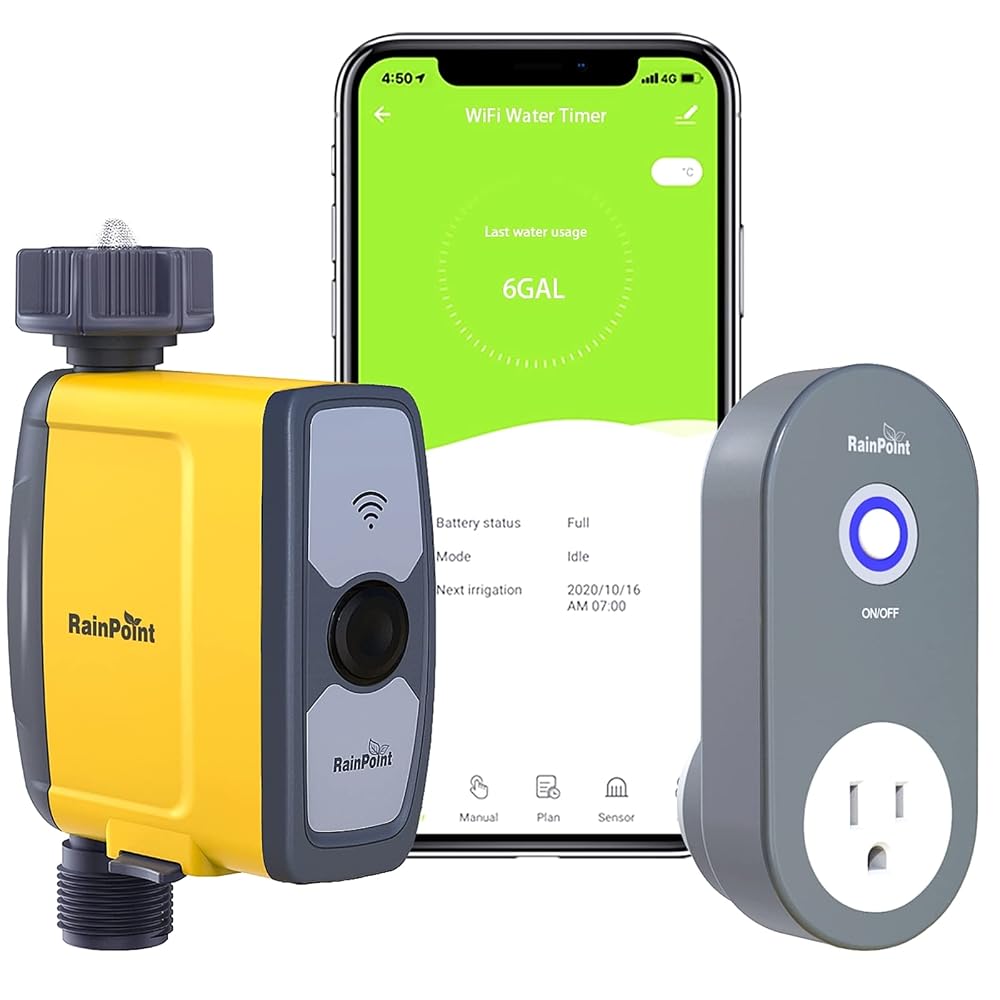
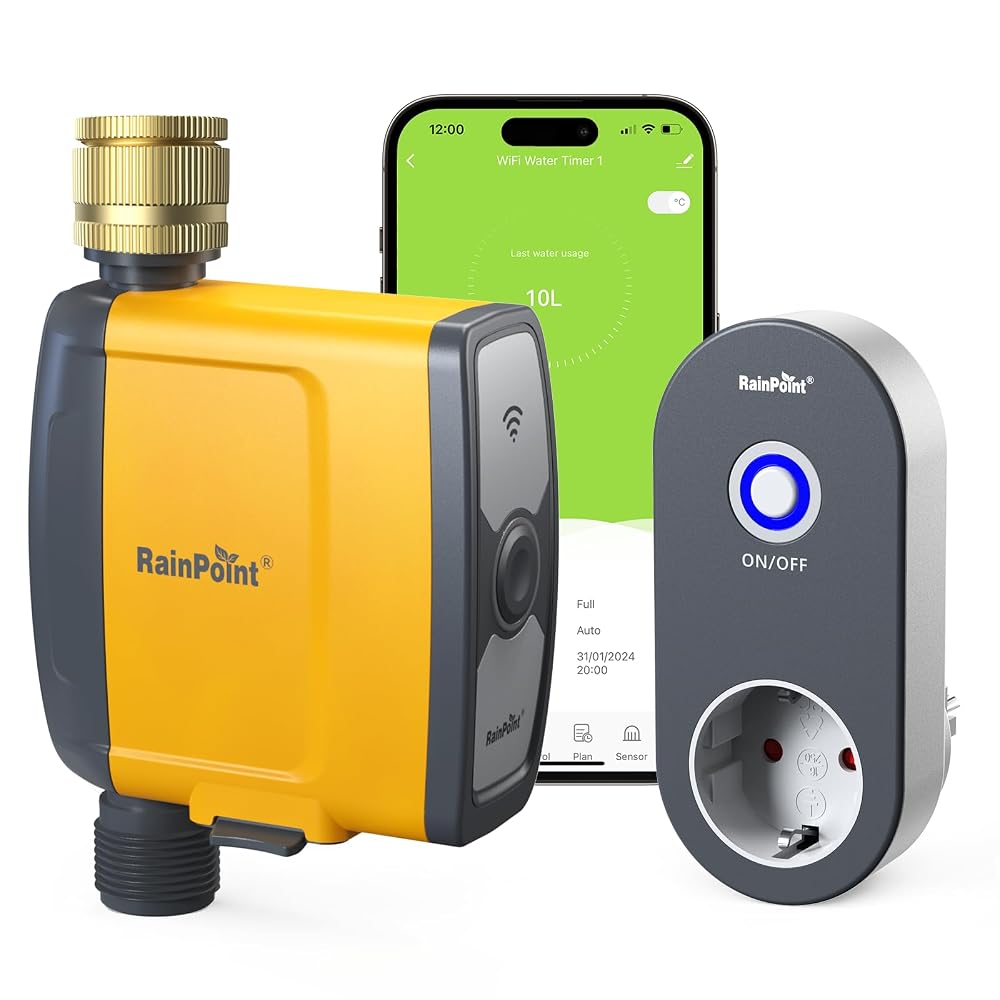
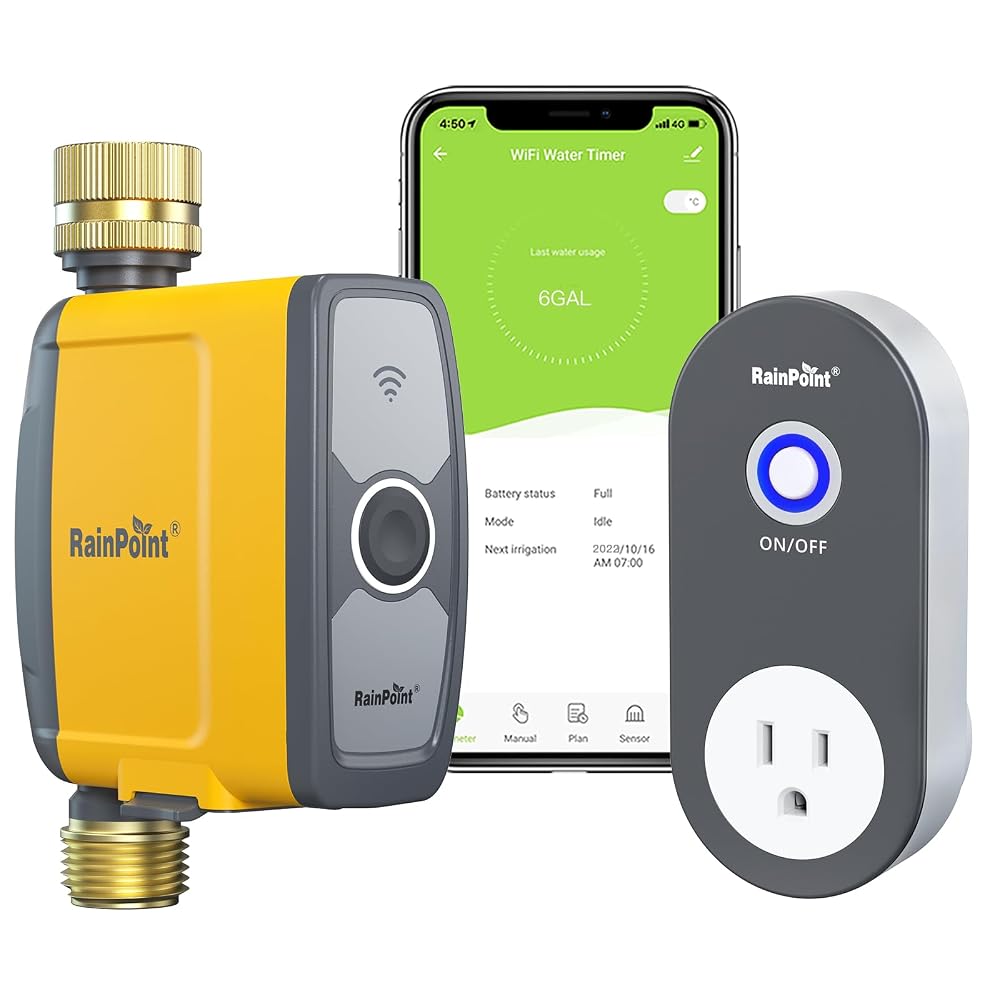
The TTV103WRF can be identified by checking the material of the water inlet and water outlet.
| Version | Inlet | Outlet |
| Version A | Plastic | Plastic |
| Version B | Brass | Plastic |
| Version C | Brass | Brass |
How to Identify Your Version
You can identify your version by checking the Inlet and Outlet connectors. No disassembly or tools are required.
Does the Version Affect Usage
No.
All TTV103WRF versions share the same:
- App features
- Watering functions
- Programming logic
- TWG004WRF WiFi Gateway connectivity
- Voice assistant support through the Gateway
The connector material does not affect the timer's functions or normal operation.
Important Installation Note
Some versions use plastic inlet or outlet components.
To avoid damage during installation:
- Always tighten connections by hand only
- Do not use tools
- Avoid overtightening
- Make sure the connector is properly aligned before tightening
This does not affect normal operation when installed correctly.
Related Articles
RAINPOINT TTV103WRF + TWG004WRF | 1-Zone WiFi Water Timer - Overview & Getting Started
RAINPOINT TTV103WRF + TWG004WRF | 1-Zone - Common Issues & Fixes
RAINPOINT TTV103WRF + TWG004WRF | 1-Zone - Specifications & Compatibility
RAINPOINT TTV103WRF + TWG004WRF | 1-Zone - Maintenance & Care
Comments
Please sign in to leave a comment.